
Style a TV unit by framing the screen rather than competing with it. Choose a unit about 20 cm wider than the TV, keep the screen centred and close to seated eye level, group decor in threes at different heights across about two-thirds of the top, and hide every cable through the back or behind closed doors.
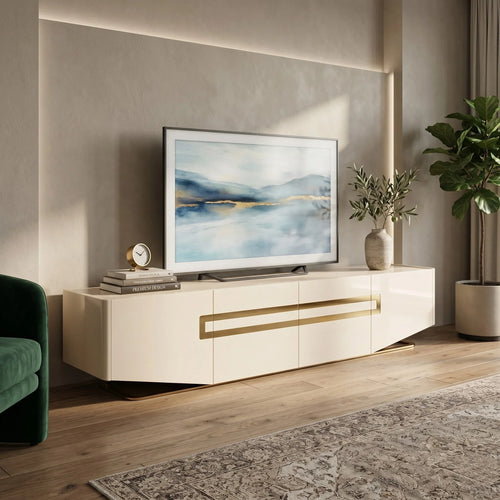
- If your TV is bigger than 70″: step up to a 200 cm unit such as the Danna Tempered Glass TV Unit, which suits a TV up to 80″.
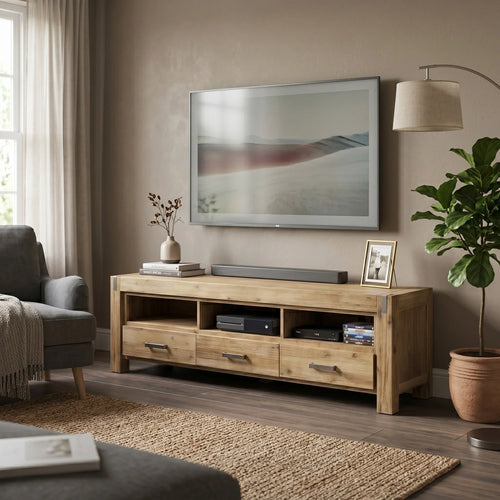
- If you want warmth rather than gloss: start with solid timber, like the solid acacia Jayden TV Unit, and style it with greenery and woven textures.
- If you would rather hide than style: choose closed storage, like the Dazzle TV Unit with two drawers and a cabinet at each end.
In this guide
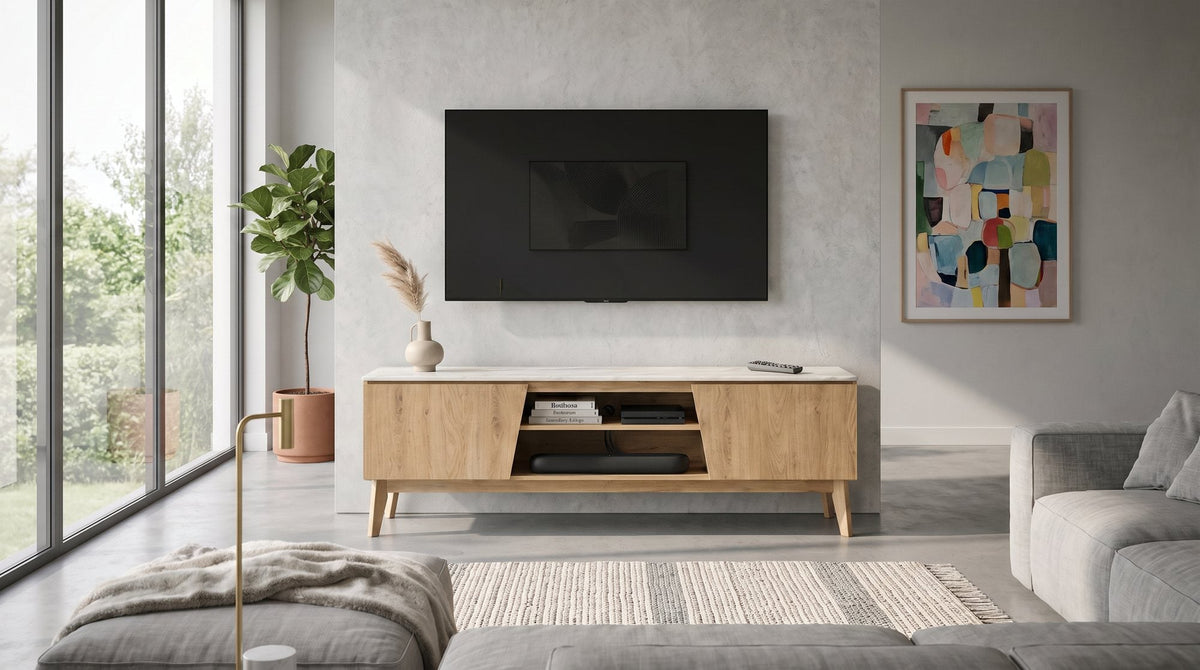
TV unit size and height: matching the unit to the screen
Every good TV wall starts with proportion. The usual guidance on our product pages is to leave around 20 cm of unit wider than the television, roughly 10 cm each side, so the screen looks balanced and its feet sit safely on the top rather than near the edge. A TV perched on a unit narrower than itself looks top-heavy, and no amount of styling fixes that.
Height matters just as much. A lowline unit puts the screen lower and suits a wall-mounted TV, because the unit then sits beneath the screen instead of holding it. A taller stand lifts a freestanding TV closer to eye level, so check it against your sofa's seat height before you buy. Here is how four units from our TV units and entertainment units range compare.
Pieces in this guide
-
-
-
Jayden TV Unit
$699.00
-
| Feature | Jayden | Macleod | Danna | Dazzle |
|---|---|---|---|---|
| Width | 180 cm | 180 cm | 200 cm | 200 cm |
| Suits a TV up to | 70″ | 70″ | 80″ | 80″ |
| Top height off the floor | 50 cm | 56 cm | 41 cm, lowline | 44 cm |
| Storage | 3 drawers, 3 open shelves | 2 drawers, 2 open shelves | 2 drawers, 2 cabinets | 2 drawers, 2 cabinets |
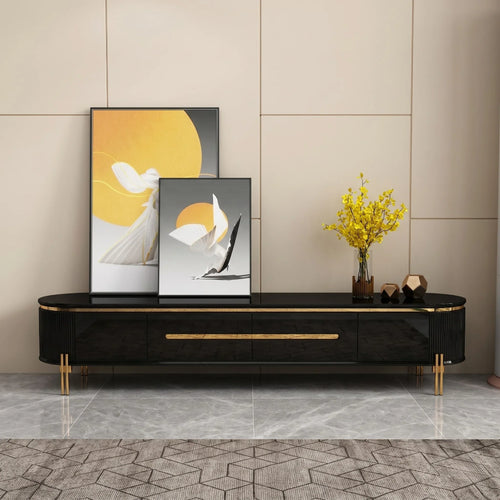
| Look | Farmhouse, solid acacia with metal corner brackets | Mid-century, marble-look top on an oak-look frame, tapered legs | Contemporary, tempered glass top on a high-gloss body, metal sled feet | Glam, black tempered glass top, fluted curved ends, gold legs |
The Macleod's top sits at 56 cm, the tallest of the four, so check it against your sofa's seat height and sightlines, especially if the seating is close to the screen. The Danna, at 41 cm, is long and low, sized to sit beneath a wall-mounted television. Whichever you choose, check your TV's weight and the spacing of its feet against the unit's top, and always secure the television with an anchor device.
TV unit decor ideas: styling the top and shelves
This is where a TV unit goes from functional to finished. Aim for a relaxed, layered look that gives the screen company without crowding it.
- Anchor with art. A framed print or a piece of leaning art to one side gives the TV a companion and softens its hard black edges.
- Add greenery. A trailing plant or a small potted one breaks up all the straight lines. It is one of the easiest wins on any TV wall.
- Stack a few books. Two or three coffee-table books lying flat add height and make a base for a small object on top.
- Use baskets or boxes. On open shelves, woven baskets or lidded boxes hide clutter and keep the look warm.
- Repeat a material. Echo a tone from elsewhere in the room, such as brass, timber or black metal, so the styling feels connected.
Style in odd numbers and vary the heights: a tall piece, a medium piece and a low piece almost always look better than two matching ones. Then leave about a third of the surface clear. Negative space is part of the look, and it stops the decor competing with the picture.
The most common mistakes are the opposite of those rules: a unit that is too small for the screen, every surface filled, a row of objects all the same height, and a tangle of visible cords.

TV wall design ideas: lighting and feature walls
Lighting is the most underrated part of a TV wall. A bright screen against a dark wall makes the area feel flat in the evening, so soften the contrast:
- Bias lighting. An LED strip behind the TV throws a gentle glow onto the wall without glare on the screen.
- A lamp to one side. A table or floor lamp near the unit adds warmth and balances the light across the room.
- Keep downlights off the screen. Angle any spotlights at the wall or the shelves, not the TV, to avoid reflections.
If you want the TV zone to feel designed, treat the wall behind it as a feature. You do not need a renovation. Paint a darker shade behind the TV so the screen blends in instead of standing out as a black rectangle. Add timber or fluted panelling for texture; it suits both timber and black units. Or frame the unit with shelving either side to build a built-in look around a freestanding piece.
Keep the unit and the wall in balance. A bold wall suits a simple unit, while a statement unit shines against a quieter backdrop. The Marlboro TV Unit, with three diamond-quilted blue PU drawer fronts and gold hairpin legs on a black body, is already the feature, so give it a plain wall and one or two objects.
How to hide the cables
Nothing undoes good styling faster than a nest of cords. A few simple fixes keep the setup clean:
- Route them through the back. Feed cables through any rear cutouts to the power point, then group them with a clip or sleeve.
- Bundle the excess. Tuck spare length inside a cabinet or behind a basket on a lower shelf.
- Fix a power board to the back of the unit, so the gear plugs in out of sight instead of trailing to the wall.
- Wall-mounting? Run the cables inside slim trunking painted to match the wall, or through an in-wall kit.
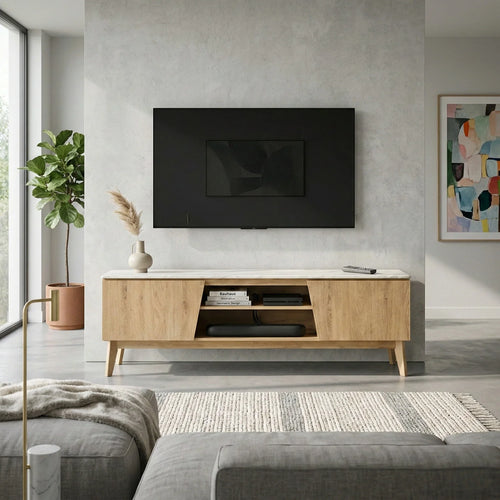
The unit itself can do a lot of this work. The Macleod TV Unit has a drawer at each end for remotes and spare cables, with two open shelves in the middle that keep a console or soundbar in line of sight of the remote. Closed cabinets, like those at each end of the Danna and the Dazzle, hide gear completely.
TV cabinet styling by finish: timber, glass and marble-look
The finish sets the mood, and each one styles a little differently. Pick the look that suits your room, then lean into it.
Timber and woodgrain
Warm and relaxed. Style timber with greenery, woven textures and soft neutrals for a coastal or Scandi feel. The Jayden is solid acacia, top and base, with a chunky frame and metal corner brackets for a farmhouse look. Browse more in our timber and wooden TV units.
Glass and gold
Sleek and glam. Keep the styling minimal so the glass and metal stay the feature; a single sculptural object does the job. The Dynamite TV Unit pairs a black tempered glass top with gold-chromed cluster legs. Because the top is glass, spread the weight of your TV and soundbar evenly. The Danna comes in Black with silver accents or Beige with gold accents, with a glass top over a high-gloss body and curved metal sled feet.
Marble-look and statement fronts
High contrast. Let the unit lead and style with restraint: one vase, one frame, plenty of clear space. The Macleod puts a marble-look top on an oak-look frame in a mid-century shape. The Dazzle has softly curved ends with vertical fluted panels, a black tempered glass top and six gold legs.

TV area design for open-plan rooms
In an open-plan room the TV wall has to define a zone, not just hold a screen. Start with the seating: the sofa should face the screen square-on, with its back towards the kitchen or dining area so it marks the edge of the living space. A rug that reaches under the front legs of the sofa and stops short of the TV unit pulls the zone together.
Keep a clear walkway between the sofa and the unit, and do not push the unit into a corner just to free up floor; the screen should sit centred on the main seat. A lowline unit keeps sightlines open across a long room, while a taller stand reads as more of a piece of furniture in its own right. Matching the unit's finish to your coffee table or side tables makes a big open room feel intentional. You will find those in our living room furniture range.

TV unit styling questions
Should a TV unit be wider than the TV?
Yes. For a balanced look, leave around 20 cm of unit wider than the television, about 10 cm each side. On that rule a 180 cm unit like the Macleod suits a TV up to about 70″, and a 200 cm unit like the Danna or Dazzle suits up to about 80″.
How high should a TV unit be?
Aim for the centre of the screen to sit close to your seated eye level. A lowline unit, such as the Danna at 41 cm or the Dynamite at 45 cm, suits a wall-mounted TV. A taller unit, such as the Macleod at 56 cm, lifts a freestanding TV, so check it against your sofa's seat height.
What do you put on a TV unit besides the TV?
A framed print or leaning art to one side, a plant, a short stack of books with a small object on top, and baskets or boxes on any open shelves. Group them in odd numbers at different heights and leave about a third of the top clear.
Is it better to wall-mount the TV or stand it on the unit?
Wall-mounting frees the whole top for styling and removes the question of the TV's weight and foot spacing, and it suits a lowline unit. Standing the TV on the unit is simpler and easier to change later. Either way, keep the screen centred and secure it with an anchor device.
How do you make a TV wall look good without renovating?
Paint the wall behind the TV a shade darker so the screen blends in, add an LED strip behind the screen for a soft glow, and balance the unit with art or a plant to one side. Shelving either side of a freestanding unit gives a built-in look without any building work.