
A good work-from-home setup starts with the chair, then the desk, then the screen, light and storage. Set the chair so your feet sit flat and your forearms rest level with the desk, bring the top of the screen to about eye level, put the desk side-on to the window, and keep daily items within reach.
- If you work from home most days: start with the chair, like the Cloud mesh chair.
- If the office is also the guest room: pick a compact desk, like the Homestead, and keep the bed clear.
- If you work in the living area: choose storage that looks like living-room furniture, like the Nelson Bookshelf.
In this guide
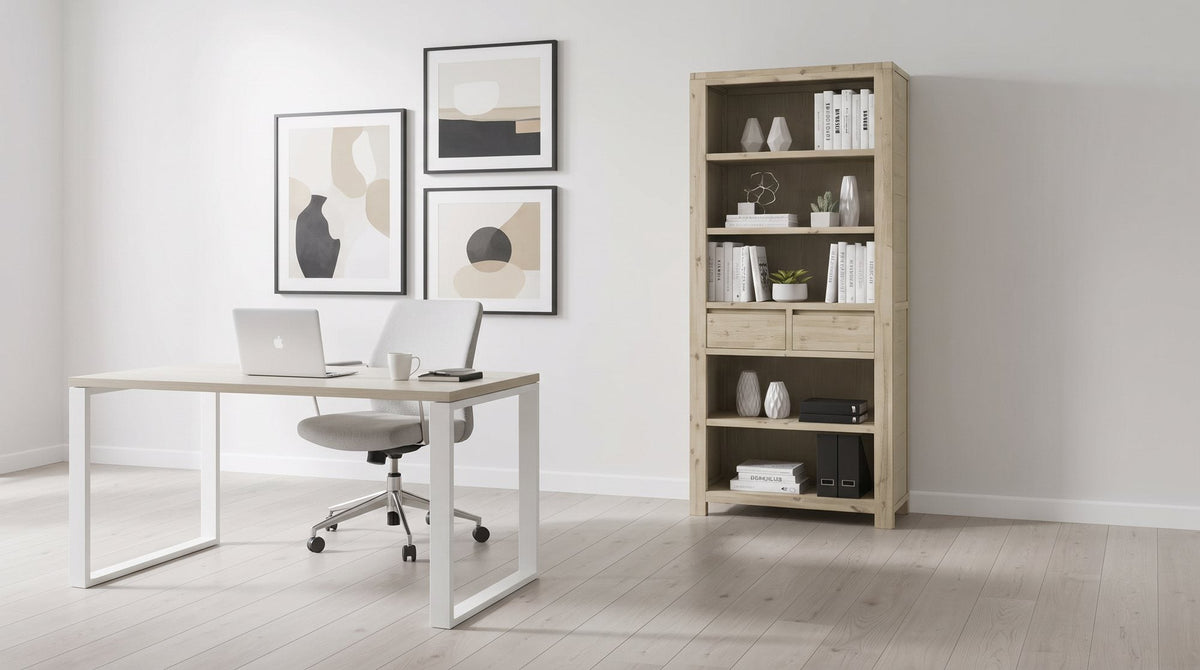
Before you buy: map the room
Most setup problems start with furniture bought before anyone looked at the room. Ten minutes with a tape measure saves a lot of rearranging later.
- Measure the walls you could use, and note where the skirting, power points and any data points sit.
- Mark the windows and which way they face. West-facing glass brings hot afternoon sun and glare.
- Find the door swing and any wardrobe doors. The chair shouldn't live in their path.
- Note the air-conditioning unit. Don't put the desk or bookshelf directly under it, in case of drips.
- Decide the room's other job. A dedicated office, a guest room that hosts a few times a year, or a living area all lead to different choices.
- Be honest about your work pattern. Two days a week on a laptop needs less than five days on two screens.
Pieces in this guide

The chair: get this right first
If you work from home most days, the chair is the piece you'll notice most. Spend your effort here before the desk. Look for adjustable seat height, a reclining tilt, back support that fits the curve of your lower back, and armrests that don't stop you pulling in close to the desk.
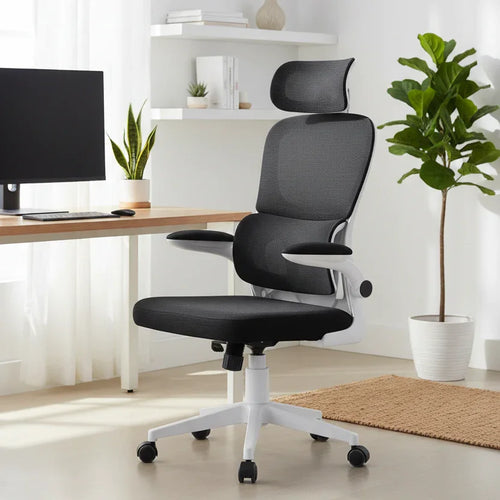
In our office chairs range, the Cloud Ergonomic Mesh Office Chair has a full mesh back and seat with a built-in lumbar curve, an adjustable headrest, a reclining tilt with adjustable tension and flip-up armrests that fold away so it slides under the desk. The Casino Ergonomic Mesh Office Chair is similar, with a headrest that slides up and down its track, and comes in grey mesh on a white frame or black on black. Mesh lets warm air escape rather than trapping it, which helps in a warm room. For a lighter-use or smaller setup, the Clontarf Fabric Office Chair is a compact mid-back chair in black technology fabric with fixed loop armrests and a gas-lift seat.

Then set it up:
- Seat height: sit back fully, rest your hands on the desk, and raise or lower the seat until your forearms sit roughly level with the desk and your shoulders relax.
- Feet: they should sit flat on the floor. If they don't once the seat is right, add a footrest.
- Back: sit all the way back so the backrest supports you, and set the tilt tension so you can lean back without being pushed forward.
- Armrests: they should support your forearms without lifting your shoulders. Flip or lower them if they block you from the desk.
For choosing between chair types in more depth, see our office chair buying guide.
The desk and screen height
A home office desk doesn't need to be big. It needs to be stable, the right height for your chair to adjust to, and deep enough for your screen and keyboard. For one laptop, or a laptop plus one monitor, a compact straight desk is plenty. Whether a corner layout is worth it is covered in our guide to corner vs straight desks, and how wood, glass and laminate tops compare is in wood, glass or laminate desks.
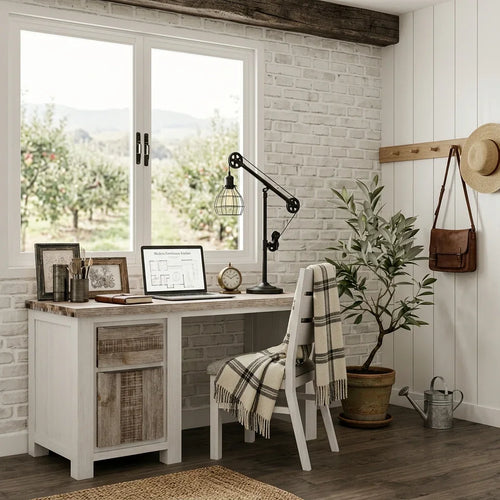
The Homestead Study Desk is our timber study desk. It features acacia wood across its visible timber panels with a soft white painted frame, and a side pedestal with a drawer above a cupboard, so stationery and cables go out of sight. Its compact, single-pedestal footprint suits a spare room, bedroom or study corner.

Screen and keyboard checklist:
- Screen height: the top of the screen at or slightly below eye level.
- Screen distance: about an arm's length away, straight in front of you.
- Laptops: raise the laptop on a stand and use a separate keyboard and mouse, so you aren't looking down all day.
- Keyboard and mouse: close to you and at the same level, so your elbows stay near your sides.
- Cables: route them behind the desk before you plug anything in, and tie them together.
Light, glare and the video-call view
- Put the desk side-on to the window. Facing the window puts glare in your eyes; sitting with your back to it puts glare on the screen and turns you into a silhouette on calls.
- Add a task lamp for evenings and grey days, placed so it doesn't reflect off the screen.
- Use blinds for afternoon sun. They cut glare and help protect timber and fabric from fading.
- Check what's behind you. A tidy bookshelf or a plain wall reads well on video. An unmade bed or a laundry pile doesn't.
- Test it on a real call at the time of day you usually work, not just in self-view.
Storage: keep it simple
Before buying a filing cabinet, gather everything you genuinely need to keep in print. If it fits in a folder or two, a small lockable box for sensitive documents plus open shelving will do the job, and shelving looks like furniture rather than office equipment.
| Feature | Filing cabinet | Bookshelf with drawers |
|---|---|---|
| Best for | Lots of paper, or files that need locking | Books, folders, decor and small items |
| Look in a shared room | Reads as office equipment | Reads as living-room furniture |
| On video calls | Usually kept out of shot | Works as a tidy backdrop |
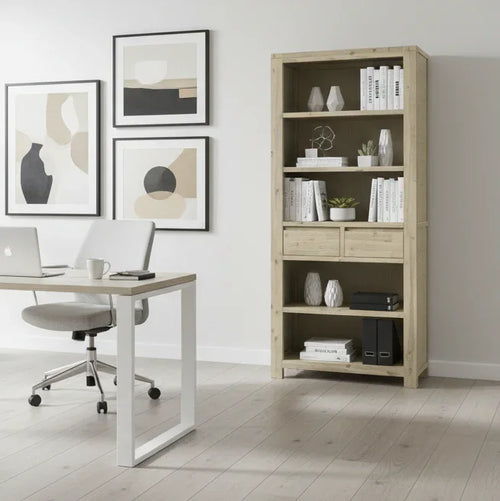
The Nelson Bookshelf is our bookshelf for a home office. It blends solid acacia with engineered wood in a soft Brushed Smoke finish, with five open shelves for books and display and two centre drawers for the small things you don't want on show. Its tall, single-bay shape uses wall height rather than floor space, and because it reads as living-room furniture it suits a lounge or bedroom office as well as a dedicated one. Spread heavy books evenly across the shelves, and anchor any tall bookshelf to the wall.

Layout: spare room or living area
Spare bedroom. Decide how often guests really stay. If it's a few nights a year, set the room up as an office first: desk on the best wall for light, chair zone clear, bed kept tidy as part of your backdrop or out of shot. If guests are frequent, keep the desk compact and choose a chair that tucks under it, so the room resets quickly.
Living area. Pick a corner or wall away from the TV and the main walkway. Choose pieces that look at home in a lounge room, and give everything a place to go at the end of the day, such as a drawer, a cupboard or a shelf, so work disappears when you're done.
For both, see the full home office furniture range, and ask which of our five showrooms (Rocklea, Virginia, North Ipswich, Bundall and Beenleigh) has the chair or desk you want to try on display.
WFH setup questions
What should I buy first for a work-from-home setup?
The chair. It's the piece you're in contact with all day, and a good adjustable chair at a plain desk is more comfortable than a basic chair at a beautiful one. Add the desk, lighting and storage after that.
What should I look for in a budget home office desk?
Prioritise stability, a working height your chair can adjust to, enough depth for your screen and keyboard, and somewhere to put things away. Skip size you won't use; a compact desk with a drawer often works better in a small room than a large bare one.
How do I set up a laptop for working from home?
Raise the laptop on a stand so the top of the screen sits near eye level, then use a separate keyboard and mouse at desk height. Working straight off the laptop keyboard keeps your head tilted down.
Should my desk face the window?
Side-on is usually best. Facing the window puts glare in your eyes, and sitting with your back to it puts glare on your screen and leaves your face in shadow on video calls.
Do I need a filing cabinet for a home office?
It depends on how much paper you keep. If everything you need in print fits in a folder or two, a small lockable box for sensitive documents plus a bookshelf usually covers it and looks better in a shared room.
Is a mesh or fabric office chair better in a warm room?
Mesh is usually the cooler choice, because the open weave lets warm air escape rather than trapping it the way solid padding can. Padded fabric chairs suit cooler or air-conditioned rooms and shorter sessions.